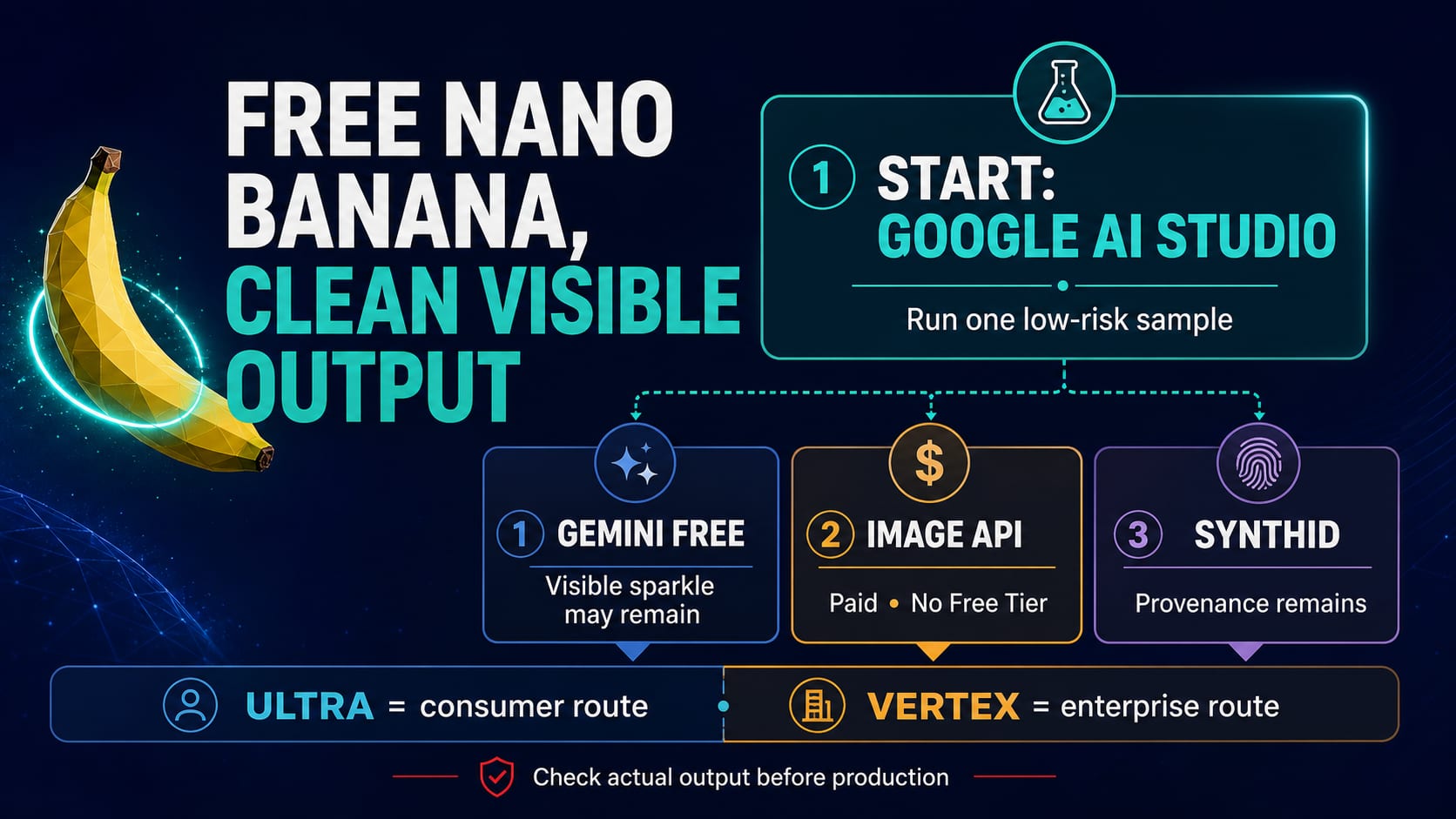
If your budget is zero and the final image cannot show a visible Gemini sparkle, start with one non-sensitive sample in Google AI Studio. Google says AI Studio usage is free in available regions and identifies the Studio developer tool as a route where Nano Banana Pro output does not carry the visible sparkle. That is a testing route, not a promise of unlimited access.
Do not turn that answer into “the Gemini image API is free.” Current pricing rows for Nano Banana image models list no Free Tier. The free Gemini consumer app and Google AI Pro are separate surfaces where the visible sparkle may remain; Google AI Ultra is another, paid consumer route whose current output should still be checked before a final workflow is built around it.
| What you need | Start here | What the contract actually says | Check before final use |
|---|---|---|---|
| One free clean-visible test | Google AI Studio | Free to use in available regions; Google names Studio as a no-visible-sparkle developer route for Nano Banana Pro | Account, region, model, quota, and the downloaded sample |
| A free consumer draft | Gemini app free tier | Limited access; the visible Gemini sparkle may remain | Whether a marked draft is acceptable |
| Code, batch jobs, or server logs | Gemini API | Current image-model rows have no Free Tier | Stable model ID, billing project, saved output, and failures |
| Consumer final output without the visible sparkle | Google AI Ultra | Separate paid plan named by Google as a no-visible-sparkle route | Current plan entitlement and an actual sample |
| GCP governance | Vertex AI | Enterprise controls do not prove one universal visible-mark outcome | Region, contract, billing, audit needs, and actual output |
A clean visible canvas is not the same as an unmarked file in every sense. Google says generated images include SynthID, an invisible provenance signal. And if a mark belongs to a photographer, stock library, platform, or client, stop: obtain a licensed clean source or replace the asset instead of treating ownership as a pixel defect.
Route and pricing terms can change. The distinctions below reflect Google documentation available on July 16, 2026 and should be rechecked for the account and region used for production.
The short answer: choose the surface before you generate
Four decisions sit behind the same clean-output goal: which Google tool can be tried without paying, why the Gemini app may add a sparkle, whether an API key includes free images, and whether the resulting file is ready for client delivery. Each decision has a different answer and a different stop condition.
Google's Nano Banana Pro launch post gives the clearest visible-mark split. It says images from free and Google AI Pro users retain the visible Gemini sparkle, while Google AI Ultra subscribers and the Google AI Studio developer tool receive a clean visual canvas without that visible mark. The same post treats developers, enterprise users, and consumers as separate routes rather than one shared allowance.
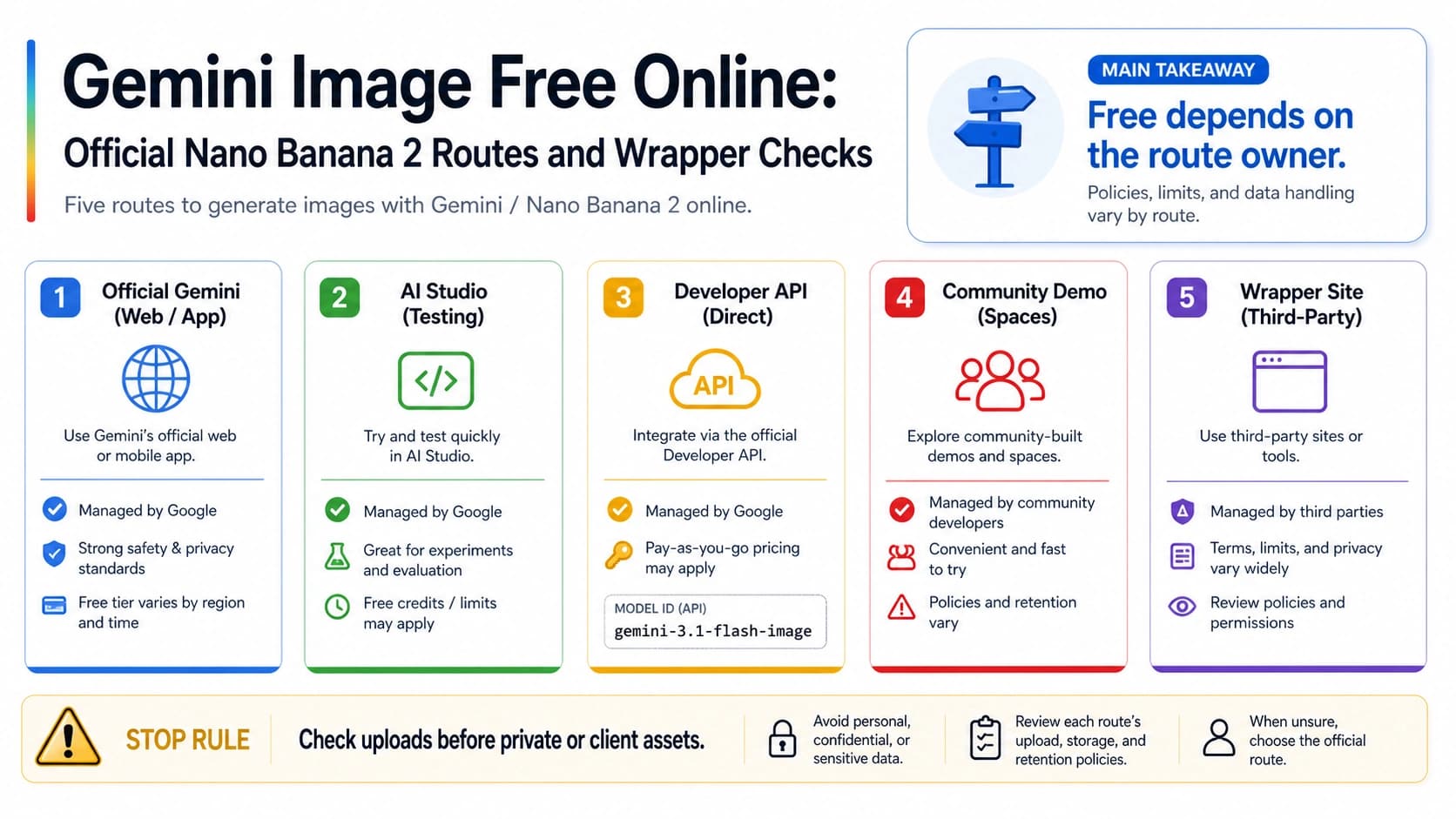
Google's Gemini API pricing page adds the second half of the answer. AI Studio usage is free in available regions, but the current image-model API rows show no Free Tier. A free interactive tool and a paid production API can coexist because they are different surfaces.
The practical rule is simple: decide whether the job is a one-off test, a consumer creation, an automated workload, or an enterprise-controlled workload before investing in prompts and references. If the route does not produce an acceptable sample, change the route rather than building an erasure step into the workflow.
Why free AI Studio does not make the Nano Banana API free
Google AI Studio is an interactive developer tool. It is useful for testing a prompt, checking composition, seeing whether text renders correctly, and examining the actual downloaded file. Google currently says Studio usage is free in available regions. “Available regions” matters: account access, model availability, quotas, and interface behavior can differ and can change.
The Gemini API is a project-level developer service. Its requests run under a model ID, a billing project, a quota state, and a price table. On July 16, 2026, the image-generation rows for the current Nano Banana family did not offer a Free Tier. Creating an API key gives you credentials; it does not create a pool of free image output.
The current Gemini image-generation documentation identifies these stable image model IDs:
gemini-3.1-flash-lite-imagefor the Nano Banana 2 Lite route;gemini-3.1-flash-imagefor Nano Banana 2;gemini-3-pro-imagefor Nano Banana Pro;gemini-2.5-flash-imageas the earlier Nano Banana generation.
Do not copy an old preview ID into a new integration simply because it appears in a tutorial. The model ID is part of the billing and behavior contract. If implementation is your main task, use the Nano Banana Pro API integration guide. If you need current price and resolution comparisons, keep that volatile detail in the Nano Banana Pro pricing and quota guide.
For a zero-budget trial, keep the experiment deliberately small:
- Open Google AI Studio with the account and region you actually intend to use.
- Select a currently available image model rather than following an old screenshot.
- Use one non-sensitive prompt with no client assets, personal photos, or confidential references.
- Download the result and inspect the full canvas, not just the preview.
- Record the account, region, model, date, dimensions, and whether a visible sparkle is present.
If Studio is unavailable, its quota is exhausted, or the output differs from the public description, that is the real boundary for that account today. It is not evidence that an “unlimited free” workaround must exist.
Match the route to the job, not to the word “watermark”
A creator drafting one storyboard frame does not need the same controls as a backend producing thousands of localized assets. A cloud team with IAM and audit requirements is solving a different problem again. Use the job as the first column of the decision.
| Job | Best first check | What it is good for | What must be verified |
|---|---|---|---|
| Prompt exploration or internal drafts | Gemini app free tier or AI Studio | Fast iteration before the image direction is final | Quota, model fallback, and whether a visible sparkle is acceptable |
| One final image with a zero-dollar test budget | AI Studio | A low-risk clean-visible sample in an available region | Account access, actual output, dimensions, and current quota |
| Multi-turn layout or difficult text rendering | AI Studio first, then a verified paid route if needed | Testing instruction following before committing production spend | Text accuracy, reference consistency, revision cost, and export behavior |
| Code, batch processing, logs, or server-side saving | Gemini API | Repeatable requests and operational control | Stable model ID, billing, retries, safety outcomes, saved file, and visible output |
| Consumer creation where the visible sparkle is unacceptable | Google AI Ultra | A consumer plan Google named as a no-visible-sparkle route | Current entitlement and a sample from the exact account |
| GCP governance, IAM, regions, and audit | Vertex AI | Enterprise deployment and cloud controls | Region, model contract, billing, data controls, logs, and actual output |
| A mark that signals ownership or unclear rights | Stop | Avoids turning a licensing problem into an editing task | Owner, license, upload permission, and clean source availability |
Notice what the table does not say. It does not promise that the API or Vertex AI always produces one particular visible result. Those routes need an actual-output check using the model, region, project, input type, resolution, and save path that production will use. It also keeps Ultra and Vertex AI separate: Ultra is a consumer subscription route; Vertex AI is an enterprise Google Cloud route.
Visible sparkle, SynthID, metadata, and rights marks need different actions
“Watermark” is too broad to be a safe instruction. Before deciding what to do, identify which of four layers you are seeing.
| Mark or signal | Usually visible? | What it communicates | Appropriate action |
|---|---|---|---|
| Visible Gemini sparkle | Yes | A visible marker added by a particular Google product surface or plan | Choose a suitable route and regenerate or re-export your own work |
| SynthID | Usually no | Google AI provenance embedded in generated media | Retain it; do not make defeating provenance the task |
| File metadata | Not always | Tool, export, origin, or workflow information | Keep what the delivery and audit policy requires; do not erase by default |
| Photographer, stock, platform, or client watermark | Yes | Ownership, license, source, review state, or usage restriction | Stop, obtain permission or a clean licensed source, or replace the asset |
Google's image documentation says generated images include SynthID. The Gemini SynthID verification help also explains how supported users can ask Gemini whether media was made or edited with Google AI. That verification role is why “no visible sparkle” and “no provenance signal” are not synonyms.
This distinction also prevents a rights mistake. A stock-library watermark or a photographer's mark is not equivalent to a product-surface sparkle on an image you generated. It tells you that permission, licensing, or source ownership must be resolved. Even if an editor could change the pixels, the rights question would remain.
No visible mark also does not grant automatic commercial rights. Reference images, recognizable people, logos, products, trademarks, customer material, and platform disclosure rules still need their own review. A clean-looking corner is only one property of the file.
If the image already has a visible mark, recover it in this order
An existing image needs a recovery decision, not an automatic cleaner. Start by asking who owns the image, what kind of mark is present, and whether the intended use permits a new render. Then use the least ambiguous recovery path.
- Regenerate from the original prompt. Keep the subject, camera, lighting, composition, negative constraints, and reference permissions, but use the route that matches the final deliverable.
- Re-export from the original project. If the work still exists in the correct tool or plan, obtain a new export instead of modifying the rendered pixels.
- Rebuild the composition. When the exact output cannot be reproduced, describe its visual intent and create a fresh image. Do not use the marked file as a patching target when rights or provenance are unclear.
- Use a lawful crop only as a composition decision. This is appropriate only when you own the output, the crop does not mislead, and it does not remove a required disclosure or rights signal.
- Replace the source. For a stock, photographer, platform, client, or unknown mark, license the asset, request the clean original, or use a different source.
- Stop when the target is provenance or authenticity. SynthID, required disclosure, or someone else's ownership mark is not a cleanup objective.
If you own the image but the problem is an ordinary object, background, color, crop, or layout issue, that belongs to an editing workflow. The Nano Banana image editing guide covers that job without mixing it with provenance or ownership.
Developer launch check: test the exact path you will ship
The API route earns its place through code, logs, batch control, and reproducibility. It should not be sold internally as “the free route” or assumed to be permanently free of a visible marker. Before launch, run a low-risk sample through the exact production path.
Use the same provider, endpoint, project, region, stable model ID, input modality, resolution, response handling, and storage path that the deployed system will use. Then inspect both the response and the file after it has been decoded, transformed by your ordinary pipeline, and saved. A browser preview is not enough evidence for a server-side workflow.
Keep these fields in the test record:
- provider and endpoint family;
- stable model ID, not an inherited preview alias;
- billing project and region when applicable;
- request timestamp and request identifier;
- input type, requested aspect ratio, and resolution;
- response status, safety outcome, retry count, and final failure class;
- decoded pixel dimensions, MIME type, and saved file path;
- observed visible mark behavior on the saved output;
- documentation and pricing review date.
The same test should be repeated when the model ID, region, output resolution, decoder, storage format, or provider route changes. A clean sample from a playground does not prove that a production endpoint, a cloud region, or a third-party wrapper has identical behavior.
For quota and rate failures, use the Gemini 3 Pro Image API quota limits guide. Handle those failures separately so a transient 429, a billing problem, and a visible-mark mismatch do not become one vague “watermark issue.”
Before you trust a free no-watermark service, require six proofs
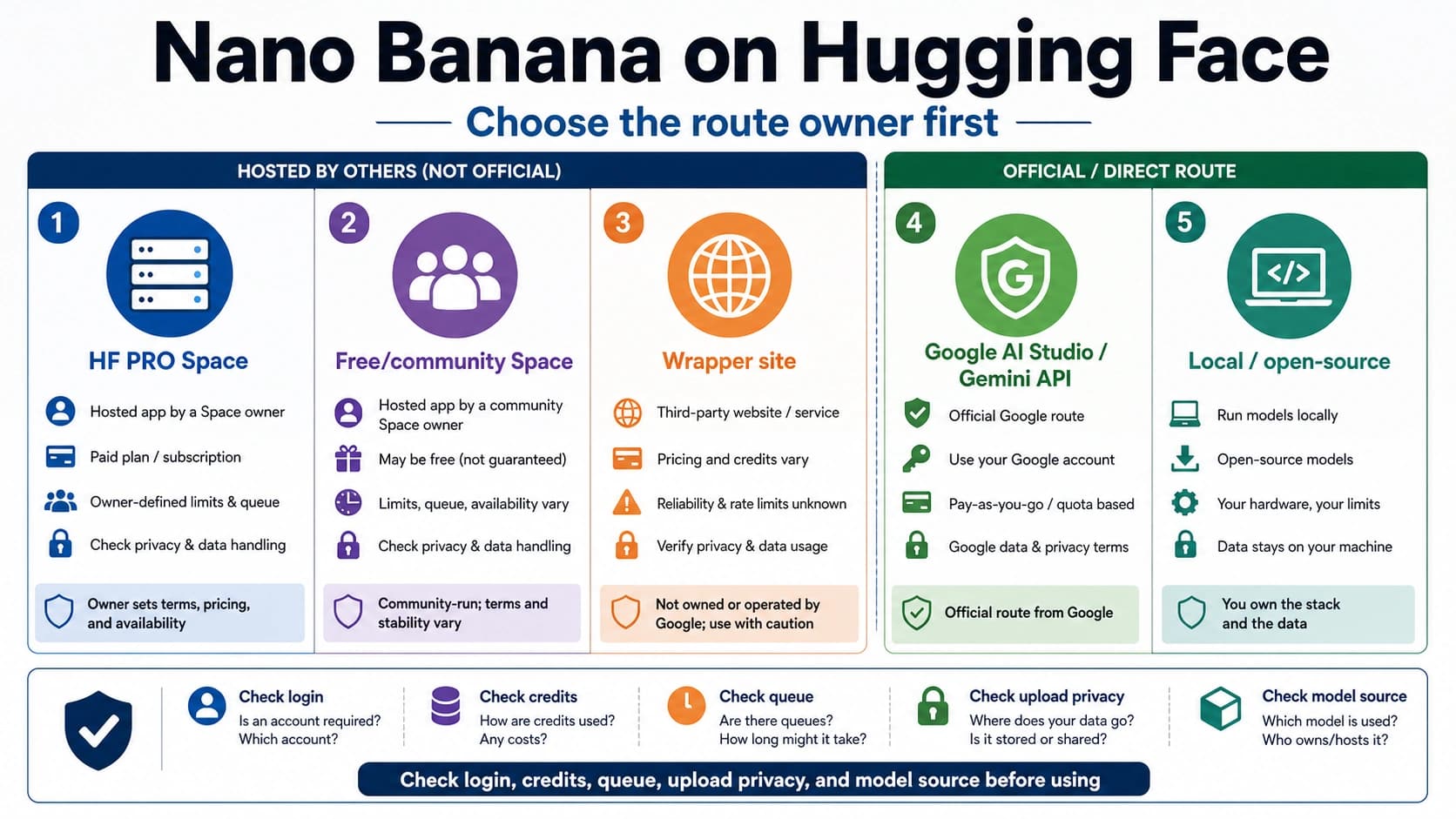
Many third-party sites promise free Nano Banana images, no sign-up, no watermark, commercial use, privacy, or unlimited credits. A headline is not evidence of the upstream model or the downloadable file. Do not recommend or productionize a third-party route until it can answer all six questions.
- Upstream proof: Which current provider and model ID create the image? “Nano Banana” alone is not enough because the name covers a family and is also used as marketing shorthand.
- Cost proof: Is “free” a one-time sample, daily allowance, queued preview, referral credit, trial subscription, or downloadable final image? What happens on a failed or retried job?
- Output proof: What does a file generated by the same account actually contain? Inspect the downloaded pixels and dimensions rather than a promotional screenshot.
- Privacy proof: How long are prompts, uploads, references, and outputs retained? Are they used for training? Can the user delete them, and is deletion described in enforceable terms?
- Rights proof: Where do the terms describe output use, reference-image responsibility, commercial work, disputes, and account ownership? A “commercial” badge is not a license analysis.
- Support proof: Who handles a missing model, failed task, unexpected charge, account lock, or output dispute, and what evidence will the support team accept?
Treat permanent-free, unlimited, guaranteed-commercial, guaranteed-no-mark, no-ban, fixed-uptime, fixed-success-rate, or automatic-refund language as volatile marketing unless current terms and actual output support it. Credits offered by a third party are that provider's promotion; they are not a Google Gemini image API Free Tier.
Commercial delivery checklist
Before a Nano Banana image enters an ad, product page, social campaign, client handoff, or reusable asset library, make the route and rights review explicit.
- The generating account, team, or client-authorized route is recorded.
- Every uploaded person, logo, product image, and visual reference was permitted input.
- The exact final route produced a sample with acceptable dimensions and visible-mark behavior.
- The stable model ID and billing owner are recorded for API or batch work.
- SynthID, required disclosure, authenticity signals, and third-party ownership marks are not editing targets.
- Platform and client AI-disclosure requirements have been checked.
- Prompt, source, route, and output records are retained when the client or audit policy requires them.
- A third-party route is used only after upstream, cost, output, privacy, rights, and support checks pass.
- A clean visible canvas is not presented as proof that every reference and use is licensed.
The durable workflow is not “generate, then erase.” It is: pick the surface, test one real output, preserve provenance, verify rights, and only then scale the job.
FAQ
Is Google AI Studio completely free and unlimited?
No unlimited promise is justified. Google's current pricing page says AI Studio usage is free in available regions. Region, account, model availability, quota, and interface behavior can change. Use Studio as a one-sample starting point and recheck it at the start of an important project.
Does a Gemini API key include free Nano Banana images?
No. An API key is a credential. On July 16, 2026, the current Nano Banana image-model pricing rows showed no Free Tier. Billing depends on the actual model, project, request, and pricing page, not on whether the key was easy to create.
Why does the free Gemini app add a visible sparkle?
That behavior belongs to the consumer product surface and plan. Google's Nano Banana Pro launch post says free and Google AI Pro users retain the visible Gemini sparkle, while Google AI Ultra and Google AI Studio are named as no-visible-sparkle routes. Because plan behavior can change, test the account that will make the final image.
If the sparkle is absent, does the image still contain SynthID?
Yes. Google states that generated images include SynthID. It is an invisible provenance signal, not the corner sparkle. A no-visible-mark route does not make the file non-AI or remove the need for disclosure where a platform, client, or policy requires it.
Can I clean a visible mark from an image I already generated?
Prefer regeneration or re-export through the correct route. If the original cannot be reproduced, rebuild the composition from its lawful inputs. Use cropping only as a legitimate layout choice for an image you own, never as a way to remove required provenance, disclosure, or ownership information.
Can I remove a stock-photo, photographer, platform, or client watermark?
Treat it as a stop case. Obtain a license, request a clean authorized file, or replace the asset. The fact that a mark is visually removable does not resolve ownership or permission.
Is a third-party site safe if it says “free without watermark”?
Not on that statement alone. Verify the upstream model, exact free allowance, downloaded output, data retention, output rights, and support route. Avoid sensitive uploads during the test. Do not treat third-party credits as evidence that Google's image API has a Free Tier.
Which route fits commercial work: AI Studio, Ultra, API, or Vertex AI?
Use AI Studio for a low-risk first sample. Consider Ultra for consumer creation when its current plan behavior fits the job. Use the paid Gemini API for code, batch handling, logs, and server control. Evaluate Vertex AI when IAM, region, audit, and Google Cloud governance are required. Every route still needs reference-rights, output, disclosure, and actual-account checks.
Does Vertex AI guarantee output without a visible mark?
Do not make that universal claim. Vertex AI is an enterprise governance route with its own region, model, billing, logging, and data-control contract. Test the actual model and saved output in the intended project and region before promising a visible result.
Does a clean visible image automatically have commercial rights?
No. Visible-mark behavior does not decide whether you may use reference images, a person's likeness, a logo, a trademark, customer material, or the final output in a particular market. Review the inputs, terms, platform rules, client requirements, and required disclosures separately.