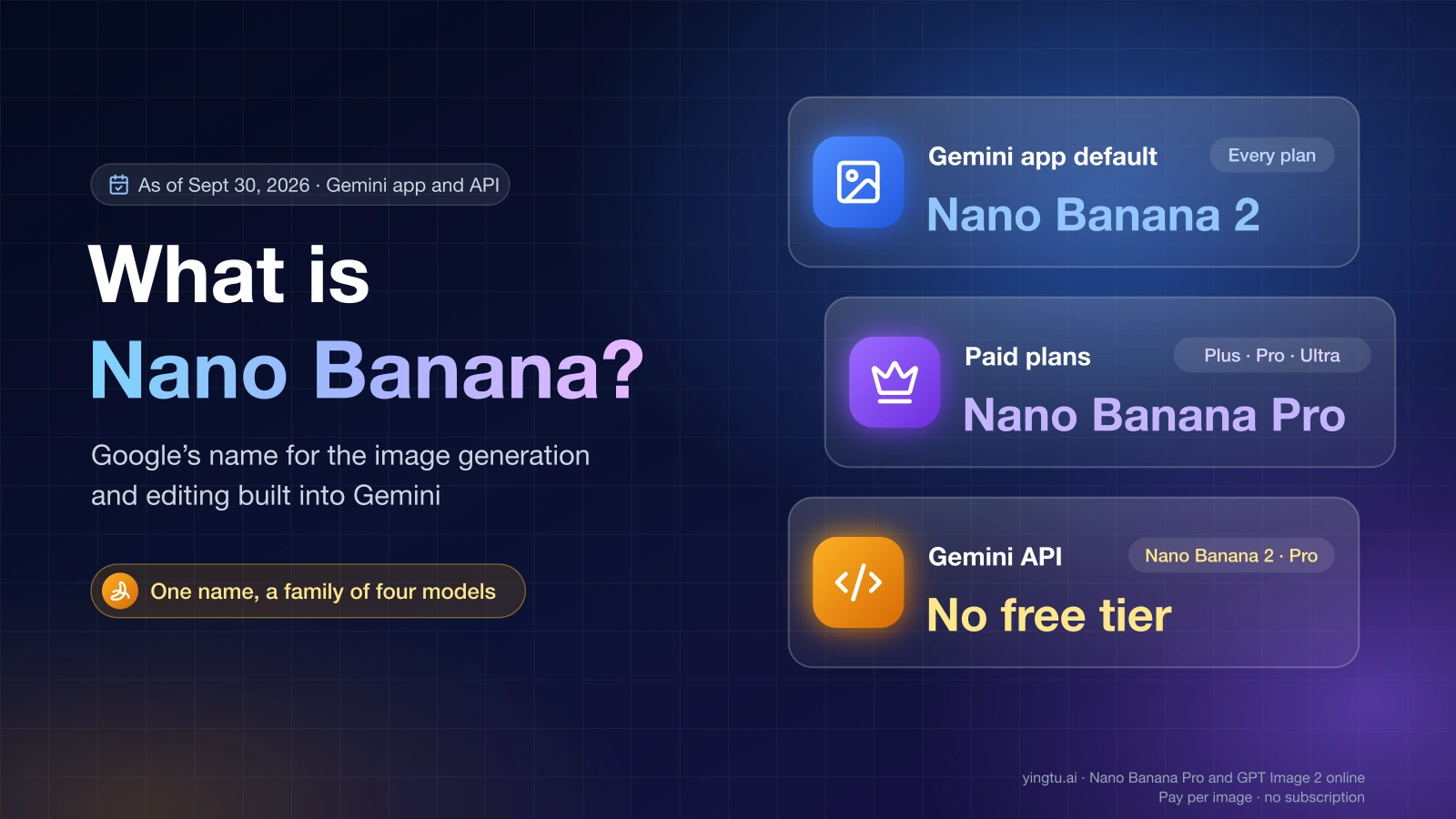
Nano Banana is Google's name for the native image generation and editing built into Gemini. As of September 30, 2026, it is a family of four models rather than one: Nano Banana 2 Lite, Nano Banana 2, Nano Banana Pro, and the original Nano Banana (Gemini 2.5 Flash Image). In the Gemini app, Nano Banana 2 makes your images by default, and Nano Banana Pro is reserved for people on a paid Google AI plan.
Google's developer docs put it in one line: "Nano Banana is the name for Gemini's native image generation capabilities" (Gemini API image generation). The name started as a code name. Gemini 2.5 Flash Image was tested anonymously on LMArena under "Nano Banana" in August 2025, and Google kept the name when it launched Nano Banana Pro in November 2025 and Nano Banana 2 in February 2026.
Nano Banana versions and model IDs
Model names, IDs, and positioning come from Google's image generation docs; Gemini app availability comes from the Gemini Apps Help page on images and the Gemini Apps limits page.
| Model (as of September 30, 2026) | Model ID | What it's for | Where you can use it |
|---|---|---|---|
| Nano Banana 2 Lite | gemini-3.1-flash-lite-image | Fastest and cheapest; 1K output only; not built for multi-turn editing or many reference images | Gemini app with the Flash-Lite setting; Gemini API |
| Nano Banana 2 | gemini-3.1-flash-image | Google's "generalist workhorse": up to 4K, reliable text inside images | Gemini app default with the Flash or Pro setting, on every plan; Gemini API (no free tier) |
| Nano Banana Pro | gemini-3-pro-image | Premium model for complex work: stronger world knowledge, localization, and precise creative control | Gemini app for Google AI Plus, Pro, and Ultra subscribers; Gemini API (no free tier) |
| Nano Banana (original) | gemini-2.5-flash-image | Legacy model; Google recommends moving to a newer one | Gemini API |
Across the family, output sizes run from 512px to 4K depending on the model, and a single request can combine up to 14 reference images, with a lower cap on some models. Every image the models generate carries an invisible SynthID watermark.
If you only want to make pictures, the choice is simpler than the table suggests. Use Nano Banana 2 for everyday images and edits. Switch to Nano Banana Pro when a result needs accurate real-world detail, careful text layout, or tight control over a brand look. Nano Banana 2 Lite matters mostly to developers who generate large volumes at 1K.
How to use Nano Banana in the Gemini app
There is no separate Nano Banana app or switch. When you ask Gemini for a picture, Nano Banana handles it. On the web, as of September 30, 2026:
- Go to gemini.google.com and sign in with your Google account.
- Open the sidebar and select Images.
- Pick a template, or type a prompt that describes the image you want, and send it.
- To work from your own photo, add it to the prompt and describe what should change.
To edit an image you already made:
- Open the sidebar and select Library.
- Click the image you want to change.
- Click Chat under the image, type what to change, and click Submit.
Which model runs depends on the Gemini model setting you have picked. Flash-Lite gives you Nano Banana 2 Lite, which Google describes as optimized for speed. Flash or Pro gives you Nano Banana 2. On a paid plan, the Pro setting gives you Nano Banana Pro. Button labels can differ slightly by app language and platform.
How to make Gemini use Nano Banana Pro
You need a paid Google AI plan (Plus, Pro, or Ultra). Then there are two ways in:
- Set the Gemini model to Pro before you send your prompt, and images come from Nano Banana Pro.
- If you already have an image from Nano Banana 2 or 2 Lite, click More at the bottom right of the image and choose Redo with Pro.
One catch: once you reach your daily quota of Nano Banana 2 images, you can't redo any more images with Nano Banana Pro that day. Without a paid plan, Redo with Pro isn't available.
Using Nano Banana through the Gemini API and Google AI Studio
Developers call the same models by ID through the Gemini API, and Google AI Studio is the place to try prompts and get an API key. Pass one of the IDs from the table above. For new projects, gemini-3.1-flash-image (Nano Banana 2) is the general default, and gemini-3-pro-image (Nano Banana Pro) is for jobs where quality outweighs cost. Keep gemini-2.5-flash-image only for existing code you haven't migrated yet.
Billing is where the API differs from the app. As of September 30, 2026, Google's Gemini API pricing page lists no free tier for Nano Banana 2 or Nano Banana Pro, so API image generation with either model is paid from the first image.
Nano Banana outside Google
Because the name went viral, many websites now use it. Sites with names like nanobanana-something are independent products, not Google. They may route your prompts to Google's models or to other models, and their pricing, privacy terms, and output quality are their own. Google's own entry points are the Gemini app, Google AI Studio, and the Gemini API.
Some creative tools license the models officially. Adobe Firefly, for example, lists Nano Banana 2 and Nano Banana Pro among its models. With any third-party tool, check who runs the service, what you pay per image, and which model ID actually generates your image.
YingTu is one option if you want Nano Banana 2 or Nano Banana Pro in a browser, paid per image, without a Gemini subscription. As of September 30, 2026, it charges $0.055 per image for Nano Banana 2 and $0.09 per image for Nano Banana Pro, outputs up to 4K, and accepts up to 5 reference images of up to 20 MB each for edits. You either paste your own LaoZhang API key or sign in with Gmail to claim a trial credit that comes with conditions. Requests run through LaoZhang's API rather than the Gemini app, so Gemini-app daily quotas don't apply to them, and spending there doesn't add to your Gemini-app allowance. Prices and sizes are on the Nano Banana 2 Online – $0.055 per Image, Up to 4K page.
Is Nano Banana free?
In the Gemini app, yes, within limits. As of September 30, 2026, Google's limits page shows image generation with Nano Banana 2 on every tier, including accounts without a Google AI plan. Redoing images with Nano Banana Pro is limited to Google AI Plus, Pro, and Ultra. Google doesn't publish a fixed number of images per day for any plan. It says limits can be capped within a timeframe and may change without notice, including because of capacity.
Through the Gemini API, Nano Banana 2 and Nano Banana Pro have no free tier as of September 30, 2026. Third-party sites set their own prices, and a "free" label on a site named after Nano Banana says nothing about Google's own terms.
Why can't I use Nano Banana in Gemini?
When Gemini won't generate or edit images, the cause is usually one of five things. Work through them in this order:
- Age. Image generation requires you to be 13 or older (or the minimum age in your country). Editing images requires 18 or older. If your account is under 18, you can generate but not edit.
- School or work account. Accounts managed by a school or employer can have different access rules set by the administrator. Try a personal Google account, or ask the admin.
- Country. The Gemini web app isn't offered everywhere. As of September 30, 2026, Google's availability list includes the US, Japan, South Korea, Spain, Hong Kong, and Macau, limits mainland China to Google Workspace, and doesn't include Russia. If your country isn't on the list, the Gemini web app isn't available to you there.
- Daily quota. If images stop working after a busy session, you have likely hit the day's Nano Banana 2 limit. Redo with Pro stops at the same point. Try again the next day.
- Model setting. If you expected Nano Banana Pro and got something else, check that the model is set to Pro and that your plan is paid. The Flash-Lite setting always uses Nano Banana 2 Lite.
If none of these apply, Gemini may have declined a specific prompt under Google's content policies. Rephrasing the request with a clearer, ordinary description usually tells you whether the prompt or the account is the problem.
Writing prompts that work with Nano Banana
Plain, specific descriptions usually work better than keyword lists. A useful prompt answers five questions in one or two sentences:
- Subject: what is in the picture, with the details that matter (materials, colors, count).
- Scene: where it is and what the light is like.
- Style: photo, watercolor, flat illustration, 3D render, and so on, plus the aspect ratio if it matters.
- Text in the image: the exact words in quotes and where they go. Nano Banana 2 and Pro are built to render text, but short phrases hold up better than paragraphs.
- Edit instructions: for changes, say what to keep as well as what to change.
For example, a first prompt might read: A ceramic mug of iced coffee on a wooden café counter, soft morning window light, flat illustration style, 4:5, with the words "Open Saturdays" in bold hand lettering across the top. A follow-up edit could be: Keep the mug, lighting, and lettering. Change the background to a rainy street seen through the window.
Results vary from run to run, so treat the first image as a draft. Change one thing per edit, and when several attempts miss, rewrite the whole prompt instead of stacking more corrections.
Quick answers
Is Nano Banana made by Google?
Yes. Nano Banana is Google's official name for the image models inside Gemini, and every model in the family is a Gemini model with a gemini- model ID. Websites that only use the name are separate businesses.
Is Nano Banana the same as Gemini?
Not quite. Gemini is Google's AI assistant and model family. Nano Banana is the part of Gemini that creates and edits images. When you ask the Gemini app for a picture, Nano Banana is what makes it.
Is Nano Banana safe to use?
Through Google's own apps, it runs under your Google account and Google's terms like any other Gemini feature, and every generated image carries a SynthID watermark that identifies it as AI-made. The bigger risk is sites that borrow the name. Before you upload personal photos or pay, confirm who operates the service.