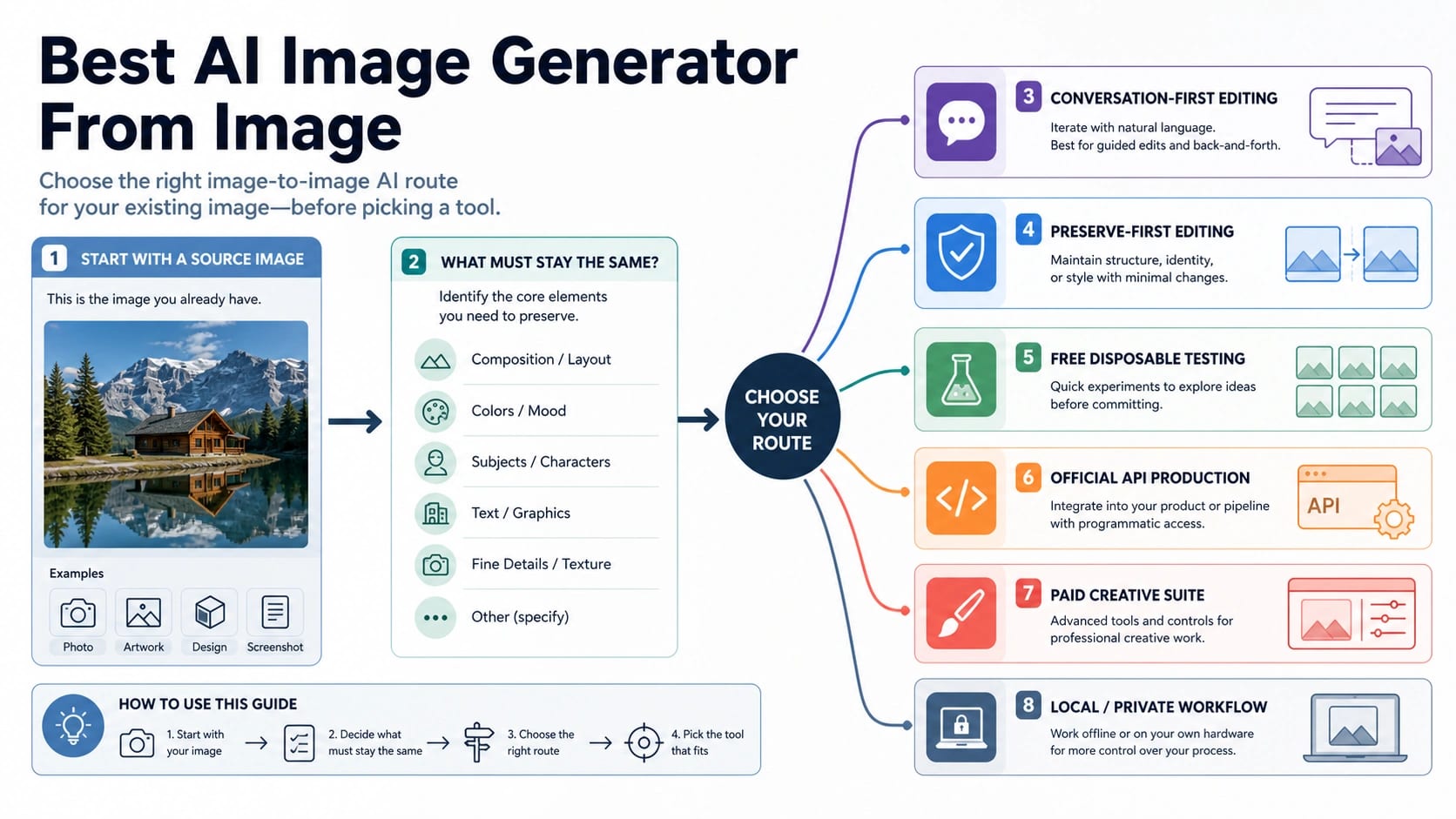
If you already have an image, choose the AI route by what the source image must preserve before you choose a tool. The phrase "AI image generator from image" usually means image-to-image AI: a workflow that starts from an uploaded or referenced image, then asks the model to restyle, edit, expand, merge, or regenerate a controlled version of it.
Start with this route board. Use a conversation-first official app when you want broad iterative edits and follow-up prompts. Use a preserve-first image-to-image editor when pose, product shape, identity, layout, or text placement must stay stable. Use a free wrapper only for disposable tests where the source image is not private or commercially sensitive. Use an official API, paid creative suite, or local/private workflow when repeatability, rights, support, logs, or upload trust matter.
Stop before uploading real people, client assets, product IP, contracts, medical/legal material, or unreleased creative work to a vague wrapper. For those files, choose a route with clearer ownership, terms, support, or local control before you try to make the output look better.
Direct Answer And Route Board
| Your source image job | Start with this route | Good fit | Stop or switch when |
|---|---|---|---|
| You want broad creative iteration | Conversation-first official app | Chat-style edits, follow-up prompts, style exploration, quick variants | You need strict identity, layout, rights, logs, or repeatable API behavior |
| The subject, pose, product shape, or layout must stay stable | Preserve-first image-to-image editor | Product mockups, character continuity, architecture, fashion, packaging, before/after edits | The route cannot explain how it uses uploads or keeps references |
| You only need to test a public sample | Free wrapper or free-credit workbench | Disposable experiments, prompt rehearsal, non-sensitive examples | The file is private, client-owned, regulated, unreleased, or commercially valuable |
| You need multiple reference images | Multi-reference route | Combine a subject, style, background, logo, or mood board | The tool blurs ownership, stores uploads indefinitely, or hides credit limits |
| You need production automation | Official API or documented provider API | Repeatable requests, logging, retries, model/version control, app integration | The only available route is a manually operated web wrapper |
| You need privacy or local control | Local/private workflow or enterprise route | Sensitive images, internal assets, identity-heavy work, regulated material | You cannot confirm where the uploaded file goes |
Start With The Edit Contract, Not The Tool Name
The tool name matters less than the edit contract. A source image can play several different roles: it can be a loose style reference, the exact subject that must remain recognizable, a composition template, a background to replace, a product shot to clean up, a face or character to preserve, or one of several references that need to be blended.
Those jobs stress different parts of an image model. A conversational app is often best when you are still discovering the direction: "make this poster warmer," "try a cyberpunk version," "remove the reflection," "add a second concept," "make the background quieter." The loop is flexible because you can respond to the result in natural language.
A preserve-first editor is better when the source image is not merely inspiration. If the product silhouette, logo placement, room layout, face likeness, garment cut, or exact pose matters, the workflow needs stronger reference control. In that case, the winning result is not the most dramatic generation. It is the version that changes only the intended parts.
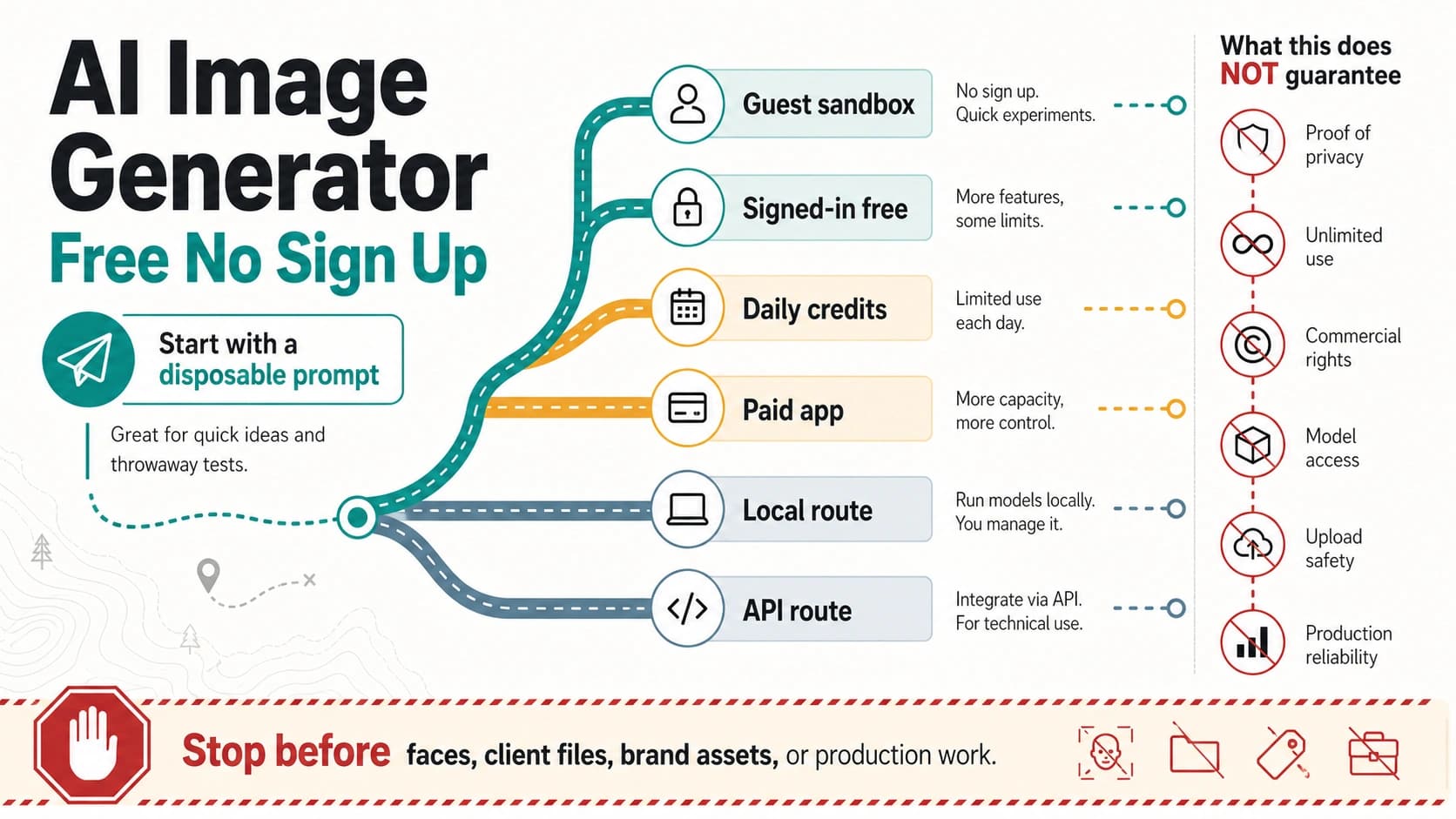
Free upload tools sit in a different lane. They are useful for learning what prompt words work, checking whether a rough transformation is possible, or testing a non-sensitive sample before committing to a better route. They should not be treated as production systems unless the owner clearly explains credits, storage, deletion, watermarking, output rights, privacy, support, and commercial terms.
What Must Stay The Same?
Before uploading anything, mark the part of the source image that cannot drift. If you cannot name that part, you are likely to choose by brand familiarity or model hype rather than by the actual image job.
| Must stay the same | Better route | Prompt focus | Failure sign |
|---|---|---|---|
| Person identity or character likeness | Official app with strong edit controls, trusted paid route, or local/private workflow | Keep face shape, age range, hair, pose, camera angle, and expression stable | The output becomes a different person or stylized character |
| Product shape, logo, packaging, or SKU details | Preserve-first editor, paid suite, or API route with review loop | Keep product geometry, labels, proportions, material, and brand marks unchanged | The model invents labels, changes shape, or alters packaging |
| Interior, architecture, or scene layout | Image-to-image editor with structure guidance | Keep walls, openings, furniture positions, horizon, and camera perspective | The room plan changes while the style improves |
| Text placement or UI layout | Tool with layout-aware editing, manual design tool, or post-edit workflow | Preserve exact text, spacing, icon positions, and hierarchy | Letters mutate, spacing drifts, or the layout becomes decorative |
| Background only | Background replacement or cleanup route | Keep subject and lighting, replace or simplify the background | The subject edge, hair, product outline, or shadow breaks |
| Style only | Conversation-first app or style-transfer route | Keep subject/content, change palette, medium, lighting, or mood | The subject, count, or composition changes instead of only the look |
| Merge two or more references | Multi-reference route | State which image owns the subject, which owns style, and which owns background | The model blends the wrong source or loses the main subject |
Adobe's official Firefly image-to-image page is a useful example of a workflow-first route: upload a source image, add a prompt, choose model behavior, adjust strength, and export. That does not mean Adobe is the best route for every image. It means a serious image-to-image surface exposes controls around the reference, not only a blank prompt box.
Gemini's official image generation overview is another example of the app route: it describes creating and editing images from prompts or uploaded images, with account, model-menu, watermark, availability, and limit caveats. That makes Gemini/Nano Banana a real official option, but not a universal free or unlimited answer.
OpenAI's image generation documentation separates image generation, image editing, and image inputs inside the Responses API. That split is important for developers: a chat-like product loop, a single Image API edit, and a multi-turn Responses workflow are not the same production contract.
Conversation-First And Preserve-First Routes Solve Different Problems
Conversation-first editing is the right default when the output goal is still fluid. You upload or reference an image, describe the change, inspect the result, then ask for follow-up corrections. This is strong for creative direction because each turn can react to what the model actually produced.
Use this route when the source image is low-risk and the edit is broad:
- "Turn this sketch into a clean product concept."
- "Make this travel photo look like an editorial poster."
- "Try three lighting moods for the same room."
- "Remove the clutter and make the image more minimal."
- "Create a social post version of this draft visual."
The weakness is preservation. A conversation-first app may understand your follow-up, but it can still drift from the original face, logo, packaging, layout, or product detail. If the output must be inspected against the source pixel by pixel, the chat loop may not be enough.
Preserve-first editing starts from the opposite assumption: the source image is the anchor. The prompt should state what stays fixed before it states what changes. This works better for product images, character references, apparel, interiors, branded assets, ecommerce mockups, and any job where a beautiful wrong object is still a failure.
Good preserve-first prompts sound controlled:
| Weak prompt | Better prompt |
|---|---|
| "Make this product look premium." | "Keep the product shape, logo position, color, label text, and camera angle unchanged. Replace only the background with a premium studio setup and softer shadows." |
| "Turn this person into a cinematic portrait." | "Keep the same person, age, face shape, hairstyle, pose, and expression. Change lighting and background only." |
| "Make this room modern." | "Keep the room layout, window position, sofa, floor plan, and camera perspective. Update wall color, lighting, and decor." |
| "Make this UI look better." | "Keep the same text, icon positions, panel sizes, and information hierarchy. Improve spacing, contrast, and visual polish without changing the content." |
The practical rule is simple: if the source image is evidence of what must stay true, choose the route that protects reference control. If the source image is only a creative starting point, choose the route that gives you the fastest iteration.
Free Tests Are Useful, But Upload Trust Is The Stop Rule
Free image-to-image tools are not useless. They are good at fast exploration, especially when the source image is public, synthetic, low-value, or created only for testing. Several exact-match pages expose the same common pattern: upload an image, write a prompt, choose aspect ratio or output count, then spend free credits or sign in for more.
That pattern is convenient, but it is not the same as accountability. A third-party wrapper owns its own credits, upload handling, storage rules, watermark behavior, output rights, commercial terms, support, and model-label claims. If the page says it uses a famous model, that claim still belongs to the wrapper unless the model owner confirms the route.
Use a free wrapper for:
- public sample images;
- rough prompt testing;
- visual style exploration;
- checking whether a transformation idea is feasible;
- comparing output direction before moving to a paid or official route.
Do not use a vague free wrapper for:
- private faces or identity-sensitive images;
- client files, unreleased campaigns, or product IP;
- contracts, invoices, medical, legal, or financial material;
- brand assets where commercial rights and output ownership matter;
- anything you would not be comfortable re-uploading to an unknown vendor.
Facy's image-to-image page is a useful reminder because it frames permission, likeness, private material, and copyright as responsible-use issues rather than only prompt tips. That does not make Facy the right route for every case. It shows the kind of risk language a reader should expect before uploading sensitive material.
If your real question is whether a free upload tool is safe when it says no limit, use the narrower AI image creator with uploads no limit workflow. If your real question is specifically Nano Banana Pro image-to-image access, use the focused Nano Banana Pro image-to-image free route. Stay with the broader route choice until the upload risk, preservation need, and route owner are clear.
Official App, API, Paid, And Local Routes
The same image-to-image task can move through several route owners. The owner matters because it decides who controls model access, credits, upload policy, support, logs, and recovery when a job fails.
| Route owner | Best job | Why it is different |
|---|---|---|
| Official app | Manual edits, creative exploration, account-owned consumer workflow | The model owner or product owner controls the interface and account rules |
| Official API | Production automation, repeatability, logs, retries, app integration | The request/response shape, billing, versioning, and failure handling are documented |
| Paid creative suite | Design workflow, brand assets, export polish, commercial team use | Editing controls, asset libraries, licensing language, and collaboration features may matter more than raw model novelty |
| Third-party wrapper | Quick tests, specialized UI, credit-based workbench | The wrapper owns the visible terms; famous model labels need verification |
| Local/private workflow | Sensitive assets, internal review, compliance, custom pipeline | The file can stay under stronger local, enterprise, or self-controlled handling |
Use official apps when a human is making a small number of decisions. They are easier than code, good for exploration, and usually closer to the model owner's intended consumer workflow. The tradeoff is that availability, quotas, model menus, and features can change by account, region, rollout, plan, or session.
Use APIs when the image workflow becomes a product, batch process, or repeatable internal operation. OpenAI's Responses route can support multi-turn image work in a broader application context, while the Image API route is simpler for direct generate or edit jobs. The exact endpoint decides what can be sent, how image input is represented, and what output format your app must parse.
Use paid creative suites when the image is part of a design workflow, not just a generation. Adobe Firefly is the clearest official example in this result set because the page presents image-to-image as a creative workflow with upload, prompt, model choice, reference strength, and export. For brand teams, those workflow details can be more important than whether a free wrapper produces one impressive sample.
Use local or private routes when the source file is the asset. A local workflow can be slower and less magical, but the point is control: fewer unclear uploads, clearer review, and a better chance of matching internal policy. If the image contains a real person, confidential product, unreleased design, regulated document, or client-owned material, upload trust is not a secondary detail.
Prompt Patterns That Preserve The Source Image
Image-to-image prompts work better when they separate the anchor from the change. The model should not have to guess which parts are negotiable.
Use this four-part pattern:
- Name the fixed anchor.
- Name the allowed change.
- Name the forbidden drift.
- Name the output format or use case.
Examples:
| Job | Prompt pattern |
|---|---|
| Product background | "Keep the exact product shape, color, label, logo, camera angle, and shadow direction. Replace only the background with a clean light-gray studio set. Do not alter text or packaging. Output a polished ecommerce hero image." |
| Portrait style | "Keep the same person, facial structure, hairstyle, expression, pose, and framing. Change the lighting to soft cinematic window light and replace the background with a muted editorial studio. Do not change identity." |
| Interior restyle | "Keep the room layout, windows, sofa position, floor, and perspective. Change wall color, add warmer lighting, and update decor to a calm modern style. Do not move furniture or alter room dimensions." |
| Poster remix | "Keep the main subject and text placement. Change palette, background texture, and lighting to a retro print style. Do not rewrite any visible words." |
| Two-reference blend | "Use image one for the product and image two for the background mood. Keep product geometry and branding from image one. Apply only the lighting and atmosphere from image two." |
After the first output, review the image against the anchor before judging style. Ask:
- Did the subject identity change?
- Did the product shape or logo mutate?
- Did the text remain readable and unchanged?
- Did the layout, pose, or camera angle drift?
- Did the model add objects that create legal, brand, or factual problems?
- Is the source file still safe for the route you are using?
If the answer is no, do not keep polishing style. Switch routes or tighten the preserve-first prompt. A better color palette will not fix a broken product identity or unsafe upload route.
When To Move To A Narrower Page
Choose at this level while the job is still about the right class of image-to-image workflow. Once the job narrows, move to the source that owns the specific blocker.
| If the next question is... | Use this narrower route |
|---|---|
| "Can I upload repeatedly without hitting a no-limit trap?" | AI image creator with uploads no limit |
| "Can Nano Banana Pro do this from my uploaded image for free?" | Nano Banana Pro image-to-image free |
| "How do I remove text, objects, or unwanted marks from an image?" | AI remove text from image |
| "What is the broader OpenAI image route before price, API, or model details?" | ChatGPT Images 2.0 route hub |
Do not force every image-to-image task into one tool. A disposable prompt test, a client product photo, an app API feature, a local sensitive-image workflow, and a Nano Banana Pro access question are different decisions. The best route is the one that preserves the right thing and gives the upload the right level of trust.
FAQ
What is the best route if I already have a photo?
Choose by preservation need. Use a conversation-first official app when you want broad iterative edits. Use a preserve-first image-to-image editor when the same person, product, pose, layout, or text placement must remain stable. Use a free wrapper only for disposable tests. Use an API, paid creative suite, or local/private workflow when the image is sensitive or the output must be repeatable.
Is image-to-image AI the same as text-to-image?
No. Text-to-image starts from a prompt only. Image-to-image AI starts from a source image or image reference plus a prompt. The source image can guide subject, style, layout, pose, composition, or the exact object to preserve. That makes upload trust and reference control part of the decision.
Can ChatGPT edit an uploaded image?
ChatGPT-style image editing is a conversation-first route: upload or reference an image, ask for a change, inspect the output, then follow up. Use official OpenAI documentation for API behavior because consumer app behavior, account access, limits, and model menus can differ from developer endpoints.
Is Gemini or Nano Banana better for uploaded image edits?
Gemini/Nano Banana is a real official app route for image creation and editing, but "better" depends on the job. It can be a strong manual route when your account exposes the right image workflow. Do not treat third-party Nano Banana labels, free credits, or Pro claims as official unless the route owner and model owner are clear.
Is Adobe Firefly a good image-to-image option?
Adobe Firefly is a serious official creative route because its image-to-image page presents upload, prompt, model, strength, and export workflow controls. It is especially relevant when the image task belongs inside a design workflow. Recheck plan, pricing, commercial-use, and availability details before treating it as the final production route.
Are free image-to-image tools safe?
They can be safe enough for public, disposable samples, but not by default for private or commercial assets. Check credit rules, sign-in requirements, upload handling, storage/deletion terms, watermarking, commercial-use language, and support. If those are unclear, do not upload real people, client assets, product IP, contracts, or unreleased creative work.
When do I need an API instead of a web app?
Use an API when the workflow must be repeatable, logged, integrated into a product, retried after failure, or run at scale. A web app is usually faster for one manual edit. An API is better when the image generation route becomes part of an application or internal production process.
When should I use a local or private workflow?
Use local or private handling when the source image is sensitive, regulated, identity-heavy, client-owned, unreleased, or legally constrained. The output may take more setup, but the route reduces the risk of sending valuable source material into an unclear upload pipeline.
How do I write a better image-to-image prompt?
State what must stay unchanged first, then state what should change. Add a short "do not alter" line for identity, product shape, text, layout, or brand details. Review the first output for preservation failures before you judge style, because a stylish image that changes the anchor is still the wrong result.
Should I choose the tool with the best-looking examples?
Examples are useful, but they are not enough. The right choice depends on the source image's preservation need, the sensitivity of the upload, the owner's terms, and whether you need manual exploration, production API behavior, paid design controls, or private handling.