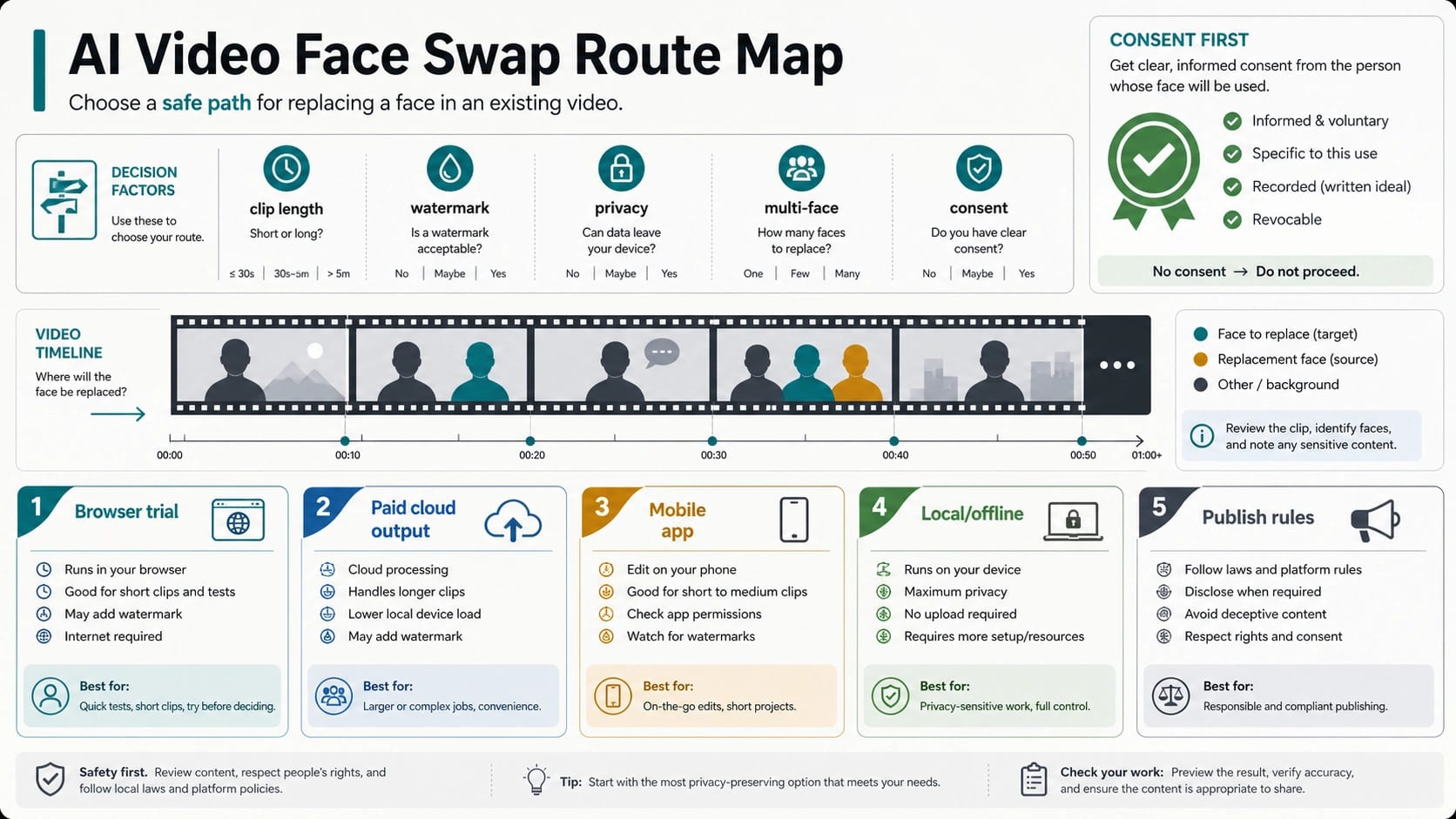
If you want to swap a face in a video, choose the route before uploading a source video or replacement face. Use a browser tool for a short private test, paid cloud output for longer or watermark-free clips, a mobile app for social drafts, FaceFusion or VisoMaster when local control matters, and stop before upload if the likeness, source video, or posting plan lacks consent or would mislead viewers.
| Your job | Better route | Check before upload | Stop rule |
|---|---|---|---|
| Try a short clip quickly | Browser face-swap tool | Clip length, watermark, queue, upload deletion, and whether sign-up starts after export | Stop if the test requires a sensitive face, private video, or unclear retention terms |
| Export a longer or cleaner result | Paid cloud workflow | Resolution, watermark removal, duration limit, face count, credits, and commercial-use terms | Stop if the paid plan still does not cover the output you need |
| Edit on a phone for a social draft | Mobile app | App permissions, in-app credits, watermark, template rights, and platform label requirements | Stop if the app turns the result into an impersonation or undisclosed realistic AI post |
| Keep more control over files | FaceFusion or VisoMaster local route | Hardware, install time, model/source compatibility, masking, multi-face control, and output review | Stop if you cannot review artifacts or you do not have rights to the face/video |
| Publish publicly | Any route plus policy check | Consent, AI disclosure, destination-platform rules, and whether viewers could be misled | Stop for minors, private people without permission, fraud, harassment, political deception, or medical/legal claims |
Free, no-sign-up, no-watermark, and long-video claims are not interchangeable. Treat each tool page as a dated claim: test the export path, check retention and deletion language, confirm the actual duration and resolution, and avoid turning a trial quota into a general recommendation.
Quality depends less on the word "AI" and more on the source face, target clip, lighting, motion match, occlusion, scene cuts, and preview discipline. A swapped video that looks plausible in one still frame can fail during hair movement, hands crossing the face, profile turns, or audio-synced expressions.
Consent is the first public-posting check, not a legal footnote at the end. If the video could make a real person appear to say or do something they did not do, label realistic AI where the platform requires it, keep proof of permission, and do not post if the result would impersonate, harass, defraud, or mislead viewers.
Quick Answer: Which AI Video Face Swap Route Should You Use?
Use a browser tool when the clip is short, the face is low-risk, and your goal is a fast preview. Use a paid cloud route when you need longer clips, cleaner output, higher resolution, fewer watermarks, or multi-face handling. Use a local route when privacy, file control, repeatability, or masking control matters more than setup speed. Use a mobile app when the result is a casual draft and the app's permissions, template rights, and posting rules are acceptable.
That route split matters more than a tool name. Current face-swap landing pages often compete on speed, "free" language, no-sign-up claims, and examples that look clean in a short clip. The missing decision is what happens after the first upload: whether export starts a queue, whether longer clips require credits, whether the output carries a watermark, whether uploaded media is retained, and whether public posting needs a disclosure label.
For most readers, the practical order is:
- Choose the route: browser test, paid cloud, mobile app, local software, or no-go.
- Run the smallest safe test: a short clip, non-sensitive face, and output preview.
- Check the hidden limits: length, watermark, credits, resolution, queue, deletion, and rights.
- Review motion quality: angle, expression, occlusion, cuts, and audio-context mismatch.
- Decide whether the result can be published with consent and disclosure.
Do not start by asking which face-swap tool is universally best. The same tool can be good for a 10-second private joke and wrong for a longer creator edit, a client asset, a sensitive likeness, or a public upload.
Free Does Not Mean The Same Thing Across Tools
"Free video face swap" can mean at least six different things. It may mean a few daily exports, a free preview with paid download, a short duration cap, a queue that slows free users, a watermark on the final clip, or an account trial that becomes paid after the first export.
As of June 8, 2026, Magic Hour's video face-swap page presents a free/no-sign-up route and describes free daily swaps, short free clips, lower free resolution, paid higher-resolution output, and watermark-free paid export. That is useful route evidence, but it is still a provider-owned claim. Facy.ai's video page describes detected faces, replacement images for each face, multi-format support, a one-credit cost, permission requirements, and a deletion window. iSmartta and MioCreate present free face-swap routes while also showing credit, priority, watermark-removal, duration, upload-size, or queue mechanics.
The lesson is not that one of those pages is the winner. The lesson is that every "free" claim should be unpacked before you upload a face or promise an output.
| Claim on a tool page | What it can hide | What to verify before upload |
|---|---|---|
| Free | Daily cap, preview-only output, queue, or first-export trial | Whether the final downloadable video is free |
| No sign-up | Sign-up after preview, account required for longer clips, or credit purchase at export | Whether the route stays no-login through download |
| No watermark | Paid-only clean export, low-resolution free export, or watermark removed only on certain plans | The exact export file you will deliver |
| Long video | A paid duration extension, file-size cap, slow queue, or face-count limit | Duration, upload size, credits per minute, and retry cost |
| Private or safe | Retention window, manual review, training-use policy, or public gallery behavior | Storage, deletion, access, and training-use terms |
| Commercial use | Plan-specific license, unclear rights to inputs, or platform posting limits | Terms, client rights, likeness permission, and destination rules |
If your task involves a client, performer, public creator, employee, student, or any private person, "free" is the wrong first filter. Start with consent, rights, retention, and destination policy. A paid workflow with clear terms can be safer than a free one with vague upload handling, but price alone does not prove safety.
Prepare Source Files Before Blaming The Model
Most bad face swaps start before generation. A clean replacement face and a compatible target clip reduce more artifacts than repeated prompt tweaks.
Use a replacement face that matches the target clip's angle, lighting, age range, expression, and camera distance as closely as possible. A front-facing portrait can fail in a profile-heavy video. A smiling face can look wrong in a serious scene. Low-resolution source images often produce soft edges, unstable eyes, or plastic-looking skin.
The target video matters just as much:
| Target-video feature | Why it matters | Better input choice |
|---|---|---|
| Fast head turns | The model has fewer stable face frames | Start with slower motion or a shorter test segment |
| Hair, hands, masks, glasses, or microphones crossing the face | Occlusion can break identity and edges | Use a clip with fewer face obstructions for the first pass |
| Strong side lighting or colored light | Skin tone and shadows become inconsistent | Match the replacement face to the same lighting direction |
| Frequent cuts | Identity can reset or flicker between shots | Split the job by scene if the tool allows it |
| Multiple people | Wrong face assignment becomes more likely | Use a tool with explicit multi-face selection or masking |
| Audio-driven expressions | Mouth motion and emotion can mismatch the replacement face | Preview the full moving clip, not a still frame |
Run a small test before committing to a long export. If the first ten seconds cannot hold face angle, expression, occlusion, and scene cuts, a longer video will usually amplify the same defects. If the tool supports masking, face selection, restoration, or per-face replacement, use those controls before paying for a full-length render.
Browser And Cloud Tools Are Best For Speed, Not Every Job
Browser and cloud tools fit the reader who wants a quick result with minimal setup. Hosted tools are built to make the upload path obvious: an upload box, examples, and a free-try promise can all appear before the harder export and retention questions.
Use them when:
- the clip is short enough to test without a major credit cost,
- the face/video is not sensitive,
- the output is for a private preview or low-risk draft,
- the tool states what happens to uploaded files,
- the export path is visible before you commit,
- and you can tolerate a queue, watermark, or resolution limit during evaluation.
Cloud tools become less attractive when the project needs long clips, repeatable settings, strict privacy, multiple faces, or a clear audit trail. A web workflow can also hide the real limit until after upload: the preview is free, but the clean video export may need credits; the face swap is instant, but the no-watermark version is paid; the page says no sign-up, but account creation appears at download.
When comparing tool pages, do not copy the marketing order into your decision. Put each tool through the same checks: maximum clip length, output resolution, watermark, face count, source-file size, deletion window, training-use language, commercial-use terms, refund or credit behavior, and whether the final export matches the preview.
Choose Local Tools When Control Matters More Than Setup Speed
Local workflows such as FaceFusion and VisoMaster are useful when you want more control over files, masks, model choices, previews, or repeatable processing. FaceFusion positions itself as local face manipulation for photos and videos and exposes a source-code route. VisoMaster's GitHub project describes video and image face swapping/editing, multiple face-swapper models, DeepFaceLab compatibility, multi-face masking, expression restoration, restoration tools, live playback, and TensorRT support.
That does not make local software automatically better for every reader. Local tools can require GPU setup, dependency management, model downloads, troubleshooting, and more manual review. They can also produce results that look worse than a polished cloud workflow if the user does not understand masking, restoration, source matching, or export settings.
Choose local when the project has one or more of these needs:
| Need | Why local may help | What it does not solve |
|---|---|---|
| Privacy and file control | You can avoid sending source media to a hosted tool | You still need consent and secure storage |
| Longer clips | You are less tied to a browser trial duration | Render time and hardware limits move to you |
| Multi-face editing | Masking and face assignment can be more explicit | Wrong assignment still requires review |
| Repeatable workflow | Settings can be kept and tested across scenes | Setup burden rises |
| Advanced restoration | You can combine swap, restoration, masking, and preview controls | More controls can create more ways to overfit |
Local execution is not a consent loophole. If the input face belongs to a real person, permission still matters. If the output will be posted publicly, disclosure and platform rules still matter. If the result impersonates someone or creates a harmful false impression, running the software offline does not make the project safe.
Consent And Platform Rules Come Before Public Posting
Before publishing a realistic face-swapped video, decide whether the viewer could believe a real person said or did something they did not do. If yes, this is no longer just an editing task.
YouTube's altered or synthetic content guidance requires creators to disclose realistic AI-generated or meaningfully altered content in relevant cases, including examples where a real person appears to say or do something they did not. TikTok's AI-generated content guidance says realistic AIGC should be labeled and specifically names AI face-swap as a substantially altered appearance example. TikTok also draws stricter boundaries around young people, adult private figures without permission, and some public-figure contexts.
That means your posting decision should separate four questions:
- Do you have permission to use the likeness and the source video?
- Could viewers reasonably be misled about what happened?
- Does the destination platform require an AI or altered-content label?
- Would the clip create impersonation, harassment, fraud, political deception, or another protected harm?
The FTC's government and business impersonation rule is a useful reminder that AI-generated media can become a fraud vector when it helps someone impersonate a trusted entity. The FTC has also discussed proposed protections around individual impersonation in the AI deepfake context. Treat that as risk context rather than legal advice, and check local law if the project is public, commercial, political, intimate, or reputationally sensitive.
The safest public workflow is simple: get clear consent, keep evidence of permission, label realistic AI where required, avoid deceptive captions, and remove or do not post clips that target private people, minors, coworkers, classmates, clients, partners, public officials, or creators without appropriate rights.
Route Handoffs: When This Is Not The Right Page
Some nearby tasks should not be squeezed into a face-swap article.
If the real job is turning a still image into a moving video, use the AI image-to-video route guide. If the main constraint is free image-to-video access, credits, or no watermark, use the free AI image-to-video generator guide. If the problem is long-duration image-to-video, use the long-duration image-to-video guide.
If the task is adult or NSFW video, do not treat ordinary face-swap tools as a workaround. Use the AI image-to-video NSFW route guide or the broader NSFW AI video policy route map, because consent, adult-content policy, platform rules, and takedown duties become the main owner.
If the task is developer API access for video generation, that is a different decision from consumer face-swap tools. You need model availability, request format, job polling, pricing, retries, and output handling, not a browser upload checklist.
FAQ
What is the best free video face-swap tool?
There is no durable universal winner. The best free route depends on whether the final downloadable output is actually free, how long the clip can be, whether it carries a watermark, whether sign-up appears after preview, and what the tool says about uploaded files. Use a short, low-risk test clip and compare the final export, not just the preview screen.
Can I do a video face swap without signing up?
Some browser tools advertise no-sign-up swaps, but the full path can change at export, longer duration, or no-watermark download. Treat no-sign-up as a claim to test through the final downloadable file. Do not upload sensitive likenesses just to find out where the account wall appears.
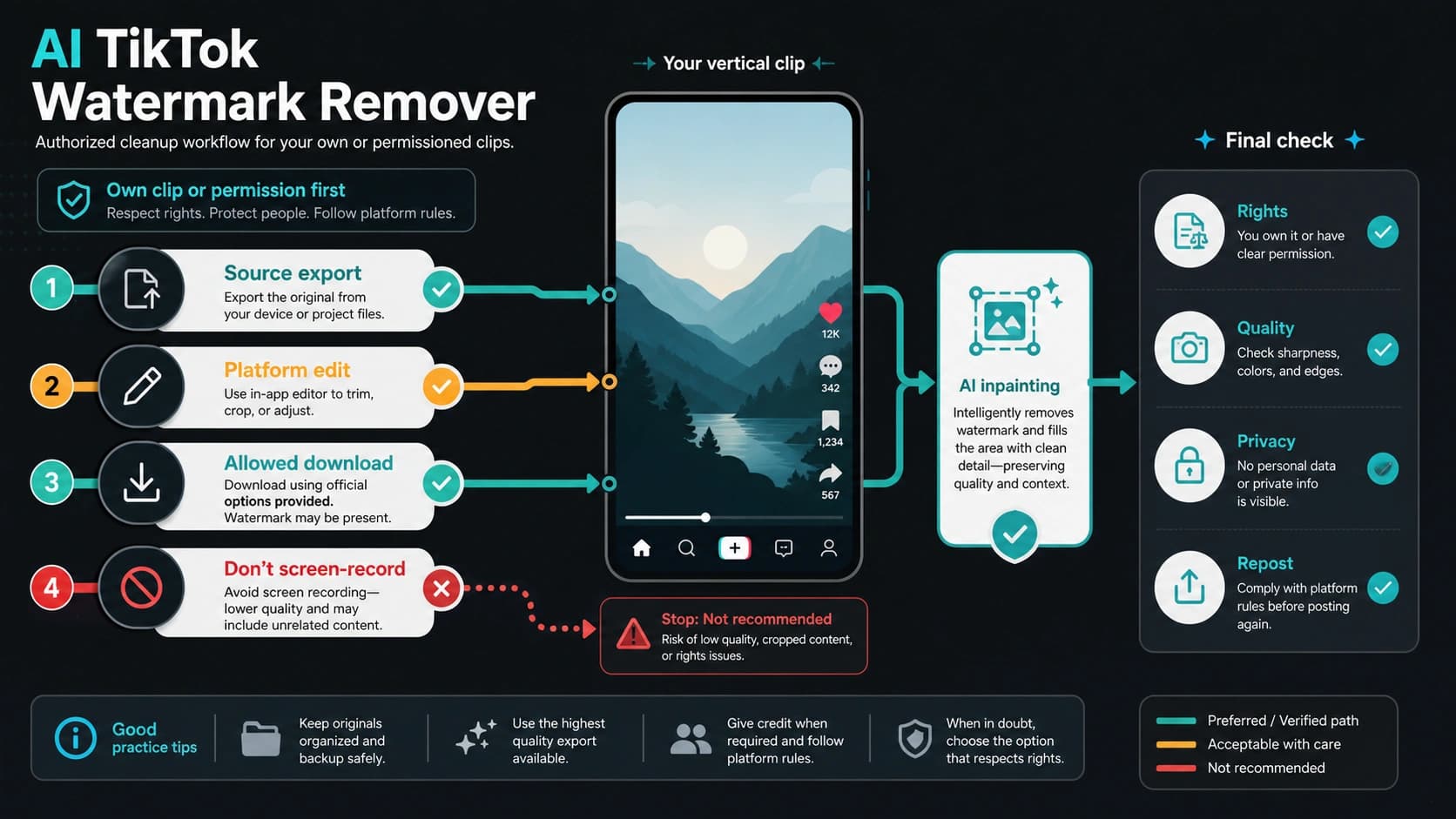
How do I remove the watermark from a face-swapped video?
Use the tool's legitimate clean-export route or choose a workflow whose terms include watermark-free output. Do not remove a watermark from a file if the mark signals license, ownership, provenance, or required disclosure. For public use, a clean export should still preserve any required AI disclosure.
Can FaceFusion or VisoMaster replace paid online tools?
They can replace some paid cloud workflows when you value local control, masking, multi-face handling, repeatability, or privacy. They are not zero-effort replacements: setup, hardware, source quality, restoration choices, and review discipline matter. They also do not remove consent or platform duties.
Is video face-swapping legal?
It depends on consent, likeness rights, jurisdiction, platform policy, and the use case. Private experimentation with consent-cleared material is very different from impersonating a real person, using a private person's likeness without permission, creating fraud, or posting misleading realistic media. Treat the workflow as practical editing guidance, not legal advice.
Can I post an AI face-swap video on TikTok or YouTube?
Only after checking the destination platform's current altered-content or AI-generated-content rules. YouTube requires disclosure for realistic AI-generated or meaningfully altered content in relevant cases. TikTok requires labeling realistic AIGC and treats AI face-swap as a substantially altered appearance example. Consent and non-deception still matter even when a label is added.
What causes bad face-swap quality?
Common causes include poor source-face resolution, mismatched angle, different lighting, fast head turns, hands or hair crossing the face, glasses, heavy motion blur, frequent cuts, multiple people, and expression mismatch. Fix the source pair and run a short preview before blaming the tool.
Should I use a local face-swap tool for privacy?
Local software can reduce remote upload exposure, but it shifts responsibility to your own device, storage, access control, and review process. Use local tools when file control matters and you can handle setup. Do not use "local" as a reason to skip permission, disclosure, or safe storage.